An API gives software a way to use your product. MCP gives compatible AI clients a common way to discover and call selected capabilities. In many products, the MCP server calls the same API that already powers other integrations.
So "MCP vs API" is usually not a replacement decision. The useful question is whether an agent needs a supported interface for a particular job, and what that interface should expose.
For a support team, that might be finding an approved troubleshooting article. For an API product, it might be looking up a customer's permitted records. Those two workflows need different data, permissions and tests, even if both are described as "MCP support."
The short comparison
| Question | API | MCP |
|---|---|---|
| What is the contract? | A service-specific interface for requests and responses | A shared protocol for compatible clients to discover and use exposed capabilities |
| Who usually integrates it? | Application code, SDKs, automation and other services | An MCP host and its connected client, often working with a model |
| How are operations described? | API documentation or a description such as OpenAPI | Discoverable tools and other supported protocol features |
| Where does business logic live? | In the underlying application/service | Often in that same service, behind a narrower MCP adapter |
| Does it automatically grant access? | No; access depends on the service's authorization | No; connection and tool discovery are not permission to every operation |
| Does it make answers correct? | It can return accurate data, but callers still interpret it | It can supply relevant tools and context, but the model can still misuse or misread them |
| Do you need both? | Often, if external software already integrates with your product | Add MCP when compatible agent workflows are a real requirement |
The MCP architecture documentation describes a protocol for context exchange, not a replacement for the model or the application that uses the context. An OpenAPI description describes an HTTP API. They address different layers.
One support lookup, two interfaces
Imagine a support teammate needs to check whether an example product supports a CSV export. The product already exposes approved capability information through a read-only API.
These examples are deliberately synthetic. They show the design relationship, not a running service or complete production MCP implementation.
The API contract
An HTTP client might request:
1GET /v1/products/reporting/capabilities2Authorization: Bearer <scoped-access-token>The service checks the caller's access and returns structured information:
1{2 "product": "reporting",3 "csvExport": true,4 "maximumRows": 10000,5 "sourceUrl": "https://docs.example.com/reporting/csv-export"6}An application can render that result or use it in a workflow. An SDK might wrap it as a language-specific method. The API remains useful whether or not an AI model is involved.
The MCP tool contract
A deliberately narrow MCP tool could expose the lookup using a name and input schema:
1{2 "name": "get_product_capabilities",3 "description": "Read approved capabilities for a product the caller can access.",4 "inputSchema": {5 "type": "object",6 "properties": {7 "product": {8 "type": "string",9 "enum": ["reporting", "dashboard"]10 }11 },12 "required": ["product"],13 "additionalProperties": false14 }15}This is an illustrative tool definition, not a full protocol message. Use the SDK and specification revision supported by your deployed clients for transport, metadata and authentication details.
A compatible agent can discover the tool and request the lookup. The server validates the input, checks the identity, calls the underlying service and returns the result. The agent can then explain the limit and cite the source.
There is no need to duplicate the capability rules inside a separate MCP-only business-logic layer. That would create two answers to the same question and two places to keep current.
What MCP adds
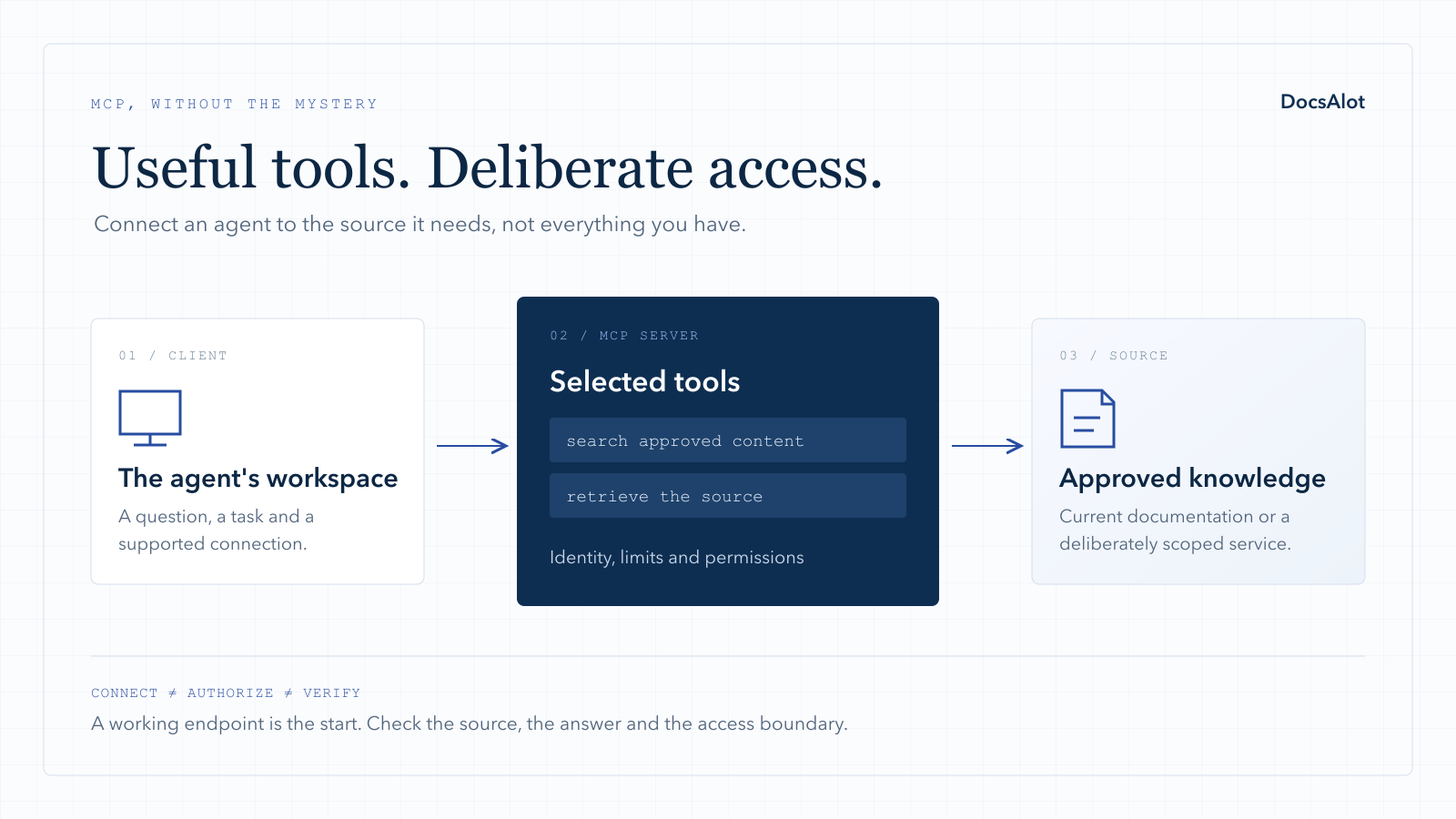
The main addition is a common integration surface for clients that support the protocol. The server describes the available tools and their inputs, while the host decides how to present and use them. The tools specification defines that discovery and invocation model.
That is useful when several supported agent clients need the same product capability. Instead of writing a different integration contract for each, you can expose a deliberate tool surface and test it across those clients.
It does not mean exposing every API operation. A product API may contain administrative actions, bulk exports and destructive operations that do not belong in a support assistant's toolbox. Choose the workflow first, then the minimum capabilities needed to complete it.
What an API still does
Your API remains the application interface for ordinary integrations and can remain the source of business rules. Existing SDKs, scheduled jobs and product integrations do not need to switch to MCP merely because an AI client supports it.
An SDK and an MCP server can complement each other. The SDK supports application developers in a programming language; the MCP server supports compatible agent interactions. Neither replaces clear onboarding, examples, error explanations or product documentation.
If you generate both from an API description, review the outputs separately. A generated endpoint list is not automatically a good agent workflow, just as a generated client library is not automatically a good quickstart.
For a concrete next step, the OpenAPI-to-MCP example maps one public-plan lookup, keeps an administrative operation out of the tool list and includes its local test results.
When documentation retrieval is enough
Not every support question needs a live API call. Installation steps, product limits, policy explanations and troubleshooting guidance often live in approved documentation.
For that job, a documentation MCP server can expose search and page retrieval without giving the agent account-changing tools. It can complement the public help center rather than replacing it.
The boundary matters: "How do I request a refund?" is a documentation question. "Refund this customer's payment" is an account action. Those should not silently share the same permissions or approval expectations.
DocsAlot focuses on keeping the published documentation and agent-facing outputs connected. If your goal is product-knowledge retrieval, request a hosted documentation MCP first version. If your goal is executing business operations, define that API and authorization scope separately.
Authentication is not a detail to add after launch
A server accepting a connection has not proved that the caller may reach every source or tool. For protected remote services, follow the MCP authorization guidance and enforce the application's own access rules too.
In the synthetic lookup above, product: "reporting" is an input, not proof that the caller can read that product's information. The service must derive access from the authenticated identity and permissions, not from a model-supplied account identifier.
For an initial proof, public and read-only content is simpler. Expand to internal material or account actions only after you can demonstrate the intended boundary with both permitted and unauthorized callers.
A practical decision checklist
| Your situation | A sensible next step |
|---|---|
| Customers already integrate through an API or SDK | Keep that interface; do not force a protocol migration |
| Agents repeatedly need the same product capability | Evaluate a narrow MCP interface for that workflow |
| The job is answering questions from approved articles | Start with documentation retrieval, not a full transactional API surface |
| The vendor already offers an official server | Test it before building your own wrapper |
| A tool can change billing, access or customer data | Define scopes, human approval and an audit trail before rollout |
| Nobody can name a real workflow | Do not build a server solely to claim MCP support |
How to test whether it helps
Use one task and the same source data. Record whether the user can finish it through the existing experience and through the connected agent.
For the capability lookup, check the correct product, the correct row limit, a usable source link and a clear refusal when access is missing. Add a source update and repeat the test. An old but plausible answer is still a failure.
Then measure the workflow rather than raw tool-call count. Five calls do not necessarily mean five solved support questions. Count successful task completion, incorrect answers, denied requests, handoffs and the time spent maintaining the integration.
Our MCP server evaluation worksheet gives you a starting record. For customer-facing answers, also use the chatbot launch test.
The decision is the workflow
Keep the API as a reliable product contract. Add MCP where a common agent interface makes a real job easier. Keep documentation retrieval separate from permission to change accounts, and do not make an agent integration responsible for business rules that already belong in your service.
To choose an existing integration, see the best MCP servers by job. To decide who operates your own endpoint, compare MCP hosting models. To publish your own product knowledge for connected agents, start with DocsAlot's hosted MCP offer.