The best MCP server is the one that gives your agent the right context or action with the least unnecessary access. A support teammate looking up a product limit does not need the same tools as an engineer opening a pull request.
How we picked: this job-based shortlist uses official product documentation, checked on November 20, 2026. It is not a performance ranking. We publish DocsAlot and include it for the own-product documentation use case, alongside other tools for their respective jobs.
New to the protocol? Start with how MCP servers work. Already building one? Use the MCP hosting decision guide.
The shortlist
| Your job | Server to evaluate | Why it belongs on the shortlist | Main boundary to check |
|---|---|---|---|
| Find version-specific library documentation while coding | Context7 | Documentation and code examples for supported libraries | Correct library, version and source coverage |
| Give agents access to your own product documentation | DocsAlot | Hosted MCP connected to a documentation publishing workflow | Published sources, public/private scope and refresh behavior |
| Find project context and manage work | Linear | Official server for issues, projects and comments | Read-only versus write access |
| Search and maintain a Notion workspace | Notion | Official connection for pages, databases and workspace context | User permissions and which content the client can reach |
| Work with repositories, issues and pull requests | GitHub | Official GitHub integration for compatible clients | Repository scope and enabled tools |
| Look up Stripe information or operate on an account | Stripe | Official API and knowledge-base tools | Account, sandbox/live environment and permissions |
| Inspect a web workflow in an agent session | Playwright MCP | Browser automation through structured page information | Browser profile, authenticated sessions and allowed destinations |
These are different products for different jobs. A documentation retrieval server does not replace a ticketing system, and a repository integration does not automatically give an agent accurate customer-facing product guidance.
Want a broader set of options? Filter 20 source-reviewed servers by job, including support, CRM and operations.
If you are deciding whether to expose your own product through the protocol, read MCP vs API before generating a tool for every endpoint.
Already have an API description? The OpenAPI-to-MCP walkthrough maps one public operation and tests which capabilities stay unavailable.
1. Context7: library documentation in the coding workflow
Context7 supplies library documentation and examples to compatible coding agents. It fits questions tied to a framework or package, particularly when a model might otherwise answer from an older version.
Evaluate it when: the question is about using a supported library. Check the library and version that were resolved before trusting an example. It is a different job from publishing and maintaining your company's customer help center.
2. DocsAlot: an MCP surface for your own product knowledge
DocsAlot connects human-readable documentation with agent-facing outputs, including a hosted MCP surface. It is worth evaluating when the same product guides should serve customers in a browser and agents in a connected client, without operating a separate documentation server.
Evaluate it when: your team owns the product knowledge and wants a managed publishing workflow. A hosted endpoint still needs a useful source, accurate answers and an explicit access boundary; it does not guarantee that unrelated AI assistants will discover or cite your site.
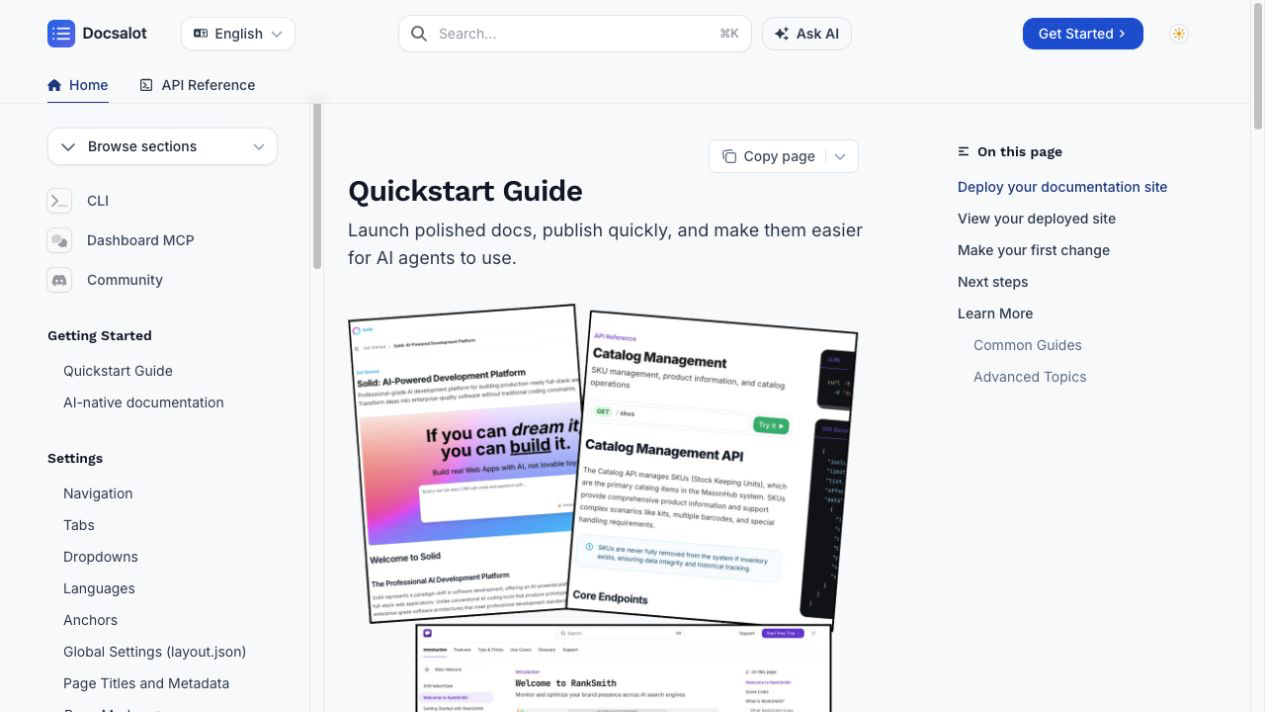
Ask for a small proof before expanding the scope: one published guide, one question it can answer, one question it must decline, and one content update that should appear after publication. For internal knowledge, test with an unauthorized identity too. Public information working correctly is not evidence that private access is correct.
Request a hosted MCP first version using public product context. Do not send credentials or private customer records as setup material.
Our limited public check: on November 20, we discovered the three read-oriented tools on DocsAlot's public documentation endpoint and retrieved the cli/install-and-auth page. The exact phrase "CLI installation" returned no search results, so this is evidence of working page retrieval, not a claim that search understands every question. The check record includes that limitation; private access, content refresh and AI answer quality were not tested.
3. Linear: project context with an explicit read-only path
Linear's official MCP server can find and update issues, projects and comments. Its documented read-only endpoint or read OAuth scope is useful when an agent only needs context.
Evaluate it when: a support escalation needs engineering status or a product lead needs project context. Start with retrieval; enable changes only for a defined workflow. Knowing a release task is complete does not by itself mean the public help article has been updated.
4. Notion: workspace knowledge and document maintenance
Notion MCP connects an assistant to workspace content and supports operations such as finding, creating and editing pages and working with databases.
Evaluate it when: useful knowledge already lives in Notion. Verify the connecting user's permissions and the current client's supported tools. An internal working document may contain unresolved decisions, so distinguish it from the approved policy a customer should receive.
5. GitHub: repository and delivery workflows
The official GitHub MCP server lets compatible clients work with repositories, issues and pull requests. Available actions depend on access to the corresponding GitHub features.
Evaluate it when: the job genuinely needs repository context or a delivery action. Limit repository access and tools to the task. A support agent finding a known issue should not automatically receive permission to alter code or repository settings.
6. Stripe: account operations are not just document search
Stripe's MCP server exposes Stripe API tools and knowledge-base search. That combines useful documentation retrieval with potentially consequential account actions.
Evaluate it when: billing context is part of an approved workflow. Check the account, environment and permissions before any action. Test in a sandbox and keep human approval for consequential changes. A tool being visible in an agent is not the same as a person approving its use.
7. Playwright MCP: inspect the actual web experience
Microsoft's Playwright MCP supports browser automation through structured page information. It can help an agent inspect a user journey instead of guessing how an interface behaves.
Evaluate it when: you need to reproduce a support problem or inspect a browser workflow. Use a controlled profile and test data. Browser sessions may already be authenticated, so page access and actions need boundaries even when the underlying task sounds read-only.
How to compare MCP tools without installing everything
The seven detailed picks above are starting points. This broader shortlist covers 20 vendor and maintainer offerings. Filter it by the work you need done, without installing or connecting anything.
We also ran a limited public retrieval check against Microsoft Learn: tool discovery, one documentation search and fetching the returned overview worked. The check record gives the exact query and scope. This was a different corpus from the DocsAlot check, not a head-to-head ranking or a test of model-generated answers.
The working shortlist / November 20, 2026
Start with the job.
Find a relevant server, then check its maintainer's setup guide. These 20 entries are documentation-reviewed, not security-approved. Limited retrieval checks are linked for Microsoft Learn and DocsAlot; the other 18 were not runtime-tested.
20 servers match; first six below, more in the expandable list. Filtering does not connect or install anything.
- Planning
Asana MCP
Asana
Find and manage tasks, projects and work context.
Use the current V2 setup. Workspace scope and supported clients matter; this is not simply public-documentation search.
Vendor-hostedCan make changesOfficial setup & scope for Asana MCP (opens in a new tab) - Planning
Atlassian MCP
Atlassian
Work with connected Atlassian product knowledge and workflows.
Follow the current V2 guide and organization controls. Confirm which products and tools the authorized identity can reach.
Vendor-hostedCan make changesOfficial setup & scope for Atlassian MCP (opens in a new tab) - Infrastructure
AWS MCP Server
Amazon Web Services
Search AWS knowledge and, with authorization, use AWS operations.
Public documentation access is distinct from IAM-authorized API execution. The service is not a documentation-only tool once broader access is granted.
Vendor-hostedCan make changesOfficial setup & scope for AWS MCP Server (opens in a new tab) - Infrastructure
Cloudflare MCP servers
Cloudflare
Retrieve documentation and work with Cloudflare account services.
Cloudflare offers multiple server surfaces, including an API server. Review the specific tools and account permissions rather than assuming every server is read-only.
Vendor-hostedCan make changesOfficial setup & scope for Cloudflare MCP servers (opens in a new tab) - Documentation
Context7 documentation MCP
Upstash / Context7
Retrieve library documentation and version-specific examples.
This entry covers documentation retrieval, not the separate Admin MCP. Check the resolved library, version and current connection path.
See setup optionsRead-focusedOfficial setup & scope for Context7 documentation MCP (opens in a new tab) - Documentation
DocsAlot documentation MCP
DocsAlot (this guide's publisher)
Our productMake your own published product knowledge available to connected agents.
Documentation retrieval is separate from authoring. A limited public check retrieved the CLI page, while an exact-phrase search returned no results. Private access and refresh behavior were not tested.
Vendor-hostedRead-focusedOfficial setup & scope for DocsAlot documentation MCP (opens in a new tab)
Show the remaining 14 servers
- Design & Browser
Figma MCP
Figma
Use design context and supported canvas workflows from an agent.
Remote and desktop capabilities differ. Writing to the canvas has its own access and seat requirements; do not assume the server only reads designs.
See setup optionsCan make changesOfficial setup & scope for Figma MCP (opens in a new tab) - Engineering
GitHub MCP
GitHub
Work with repositories, issues, pull requests and supported GitHub features.
Tool access follows the relevant GitHub feature and identity permissions. Restrict repositories and enabled operations to the actual task.
See setup optionsCan make changesOfficial setup & scope for GitHub MCP (opens in a new tab) - Support & CRM
HubSpot remote MCP
HubSpot
Read and update supported CRM data from connected agents.
The remote CRM server and local Developer MCP solve different jobs. Verify object access and write scope before using customer records.
Vendor-hostedCan make changesOfficial setup & scope for HubSpot remote MCP (opens in a new tab) - Support & CRM
Intercom MCP
Intercom
Work with supported Intercom data, articles and tools.
Current documentation lists US and EU support, not AU. This server is distinct from configuring Fin to call other MCP servers.
Vendor-hostedCan make changesOfficial setup & scope for Intercom MCP (opens in a new tab) - Planning
Linear MCP
Linear
Find, create and update issues, projects and comments.
A documented read-only endpoint or read OAuth scope is available. Select it when the workflow only needs project context.
Vendor-hostedCan make changesOfficial setup & scope for Linear MCP (opens in a new tab) - Documentation
Microsoft Learn MCP
Microsoft
Search official Learn documentation, fetch articles and find code samples.
A limited public check discovered the tools, searched Learn content and fetched the returned overview. This does not provide access to a user's training profile or permission to operate Azure resources.
Vendor-hostedRead-focusedOfficial setup & scope for Microsoft Learn MCP (opens in a new tab) - Infrastructure
MongoDB MCP package
MongoDB
Explore, query and manage MongoDB data and deployments.
This entry covers the published MCP package. Review database credentials and read-only controls; Atlas-managed offerings have separate setup and availability.
Self-managed packageCan make changesOfficial setup & scope for MongoDB MCP package (opens in a new tab) - Planning
Notion MCP
Notion
Find workspace knowledge and create or edit supported Notion content.
Check the connecting identity's workspace permissions. A working internal document is not automatically an approved customer policy.
Vendor-hostedCan make changesOfficial setup & scope for Notion MCP (opens in a new tab) - Design & Browser
Playwright MCP
Microsoft
Inspect and interact with browser workflows using structured page information.
Use a controlled browser profile and test data. Existing authenticated sessions and page actions need deliberate boundaries.
Self-managed packageCan make changesOfficial setup & scope for Playwright MCP (opens in a new tab) - Engineering
Sentry MCP
Sentry
Investigate errors, performance and issues, and use supported project tools.
Sentry documents remote and CLI-based paths. Scope the connection to the intended organization or project when possible.
See setup optionsCan make changesOfficial setup & scope for Sentry MCP (opens in a new tab) - Support & CRM
Slack MCP
Slack
Search and read workspace content and perform supported Slack actions.
Admin approval and app identity requirements apply. A server exposing Slack data is different from a support bot installed inside Slack.
Vendor-hostedCan make changesOfficial setup & scope for Slack MCP (opens in a new tab) - Support & CRM
Stripe MCP
Stripe
Search Stripe knowledge and use permitted Stripe API tools.
Confirm account, sandbox versus live mode, and permissions. Documentation search and consequential billing actions are different jobs.
Vendor-hostedCan make changesOfficial setup & scope for Stripe MCP (opens in a new tab) - Infrastructure
Supabase MCP
Supabase
Use supported project, database and development tools.
Scope the connection to a project and review read-only options. Supabase warns that an unscoped connection can access all projects.
Vendor-hostedCan make changesOfficial setup & scope for Supabase MCP (opens in a new tab) - Support & CRM
Zapier MCP
Zapier
Use configured actions across connected applications.
Review which connected apps and actions are enabled. Protect connection-token URLs and check current task-based usage limits.
Vendor-hostedCan make changesOfficial setup & scope for Zapier MCP (opens in a new tab)
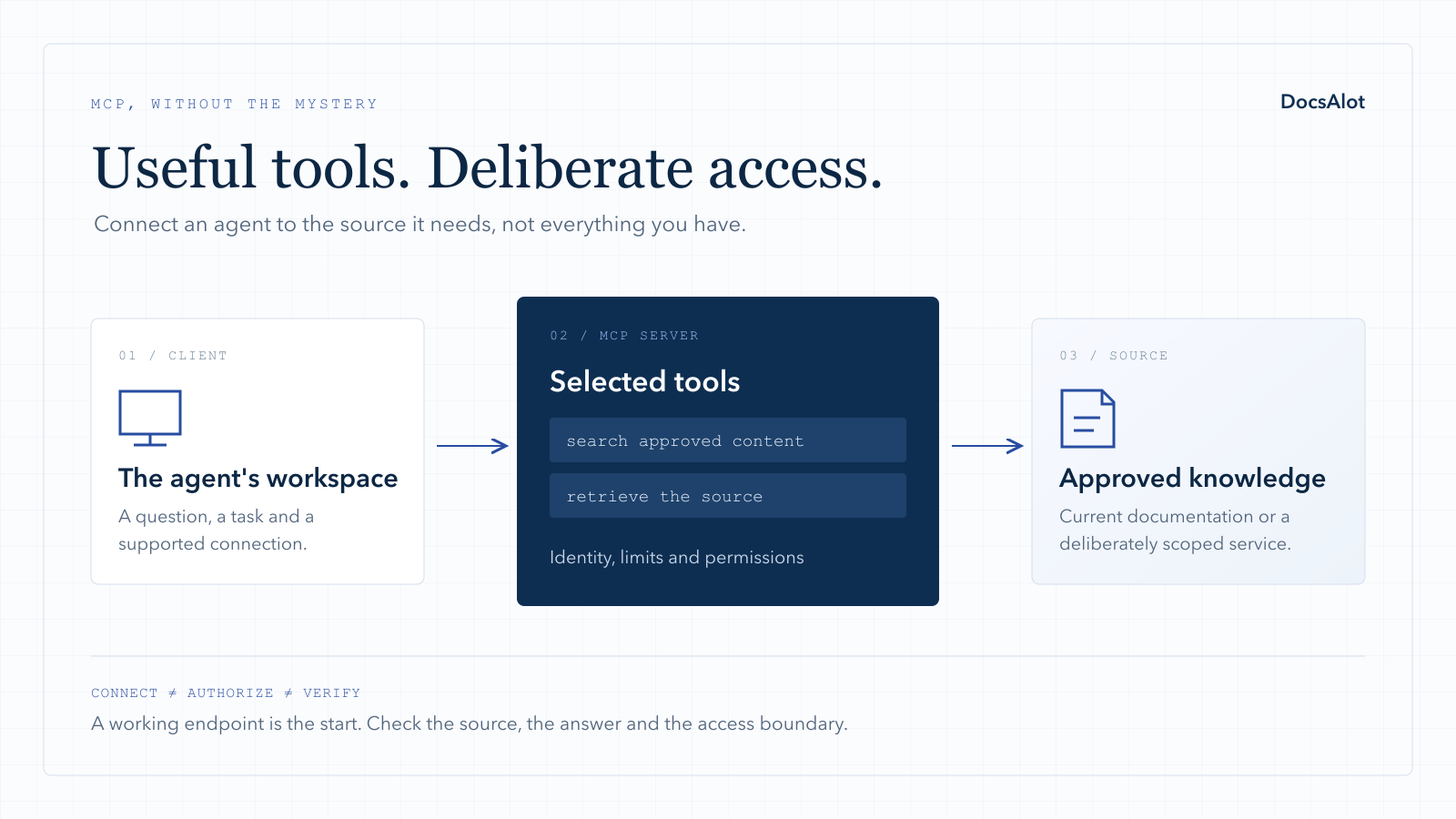
Start with one real workflow. For a support team, that might be: "Find the current return policy, explain the exception, and cite the approved article." For a product team, it might be: "Find the release issue and draft a help-center update, but do not publish it."
Write down the expected result before connecting a server. Then evaluate the following:
| Check | Evidence to collect | Reason to stop |
|---|---|---|
| Maintainer | Official vendor documentation and the exact endpoint or package | A similar name with no clear owner |
| Client support | The transport, authentication and tools work in your chosen client | "MCP compatible" with no working connection path |
| Access | The least-privileged identity can reach only intended content | Another workspace or private knowledge base appears |
| Actions | Read and write capabilities are distinguishable | Broad changes required for a lookup-only task |
| Source quality | Answers can be checked against current source material | Confident answers with missing or obsolete evidence |
| Update behavior | A published change becomes retrievable through a documented process | No owner or repeatable way to refresh content |
| Operations | Clear limits, errors, logs and revocation path | Failure is silent or access cannot be withdrawn |
Use this downloadable MCP evaluation worksheet to record an actual result. Its example is synthetic, not a result from testing any vendor in this guide.
A five-question support test
- Ask a common question with one clear answer in the approved documentation.
- Ask for an exception that requires reading more than a headline.
- Ask something the source does not answer; expect uncertainty, not invention.
- Change the approved source and repeat the question after the stated refresh step.
- Ask for content outside the connected identity's permission boundary; expect denial.
Score source correctness and access correctness separately. An answer can be factually right and still be a security failure if the caller should not have received it.
Where to find more servers
Use the MCP Registry to discover published servers, then check the maintainer's own documentation. Discovery is not a substitute for evaluating permissions, code or operating practices.
The protocol's reference-server repository is useful for learning how MCP works. Its maintainers explicitly describe those implementations as educational examples rather than production-ready solutions. Do not turn an example into a production recommendation simply because it has an official-looking repository or many stars.
Do you need a hosted MCP server of your own?
Connecting to Linear or Stripe gives an agent access to those products. It does not automatically make your product's onboarding, policies and troubleshooting guidance available.
If that is the missing piece, start with a small documentation surface rather than a general-purpose agent platform. Keep the source current, return useful content with references, and define what is public before expanding into internal content or actions.
DocsAlot's hosted MCP offer is designed for that first product-knowledge workflow. If you already have a remote endpoint, use the publishing-readiness review instead. If you want to operate it yourself, the hosting guide explains the ownership tradeoffs.
Frequently asked questions
Is a remote MCP server better than a local one?
Not universally. A remote server can centralize operation for a team; a local server can be useful for local files or a controlled individual workflow. Choose based on the data boundary, supported client and who will operate it.
Does installing more MCP servers make an agent better?
Not necessarily. Additional tools can add irrelevant choices and broader permissions. Connect the smallest set that supports a defined job, then measure whether the result actually improves.
Does MCP replace an AI support chatbot?
No. MCP is an integration protocol, not the complete customer experience. A support bot still needs an interface, appropriate source access, answer checks, escalation and feedback.
Will publishing an MCP server make AI assistants recommend our company?
Not by itself. Connected clients can use an endpoint they have been configured to access, while unprompted discovery and citations are separate questions. See how to measure AI documentation visibility.