You do not need to operate an MCP server just because your team wants to use one. If the product already provides an official remote server, connecting to that service may be the simplest path. If you want agents to use your own product knowledge or API, someone needs to own that endpoint.
Choose hosting based on the workflow and access boundary, not the cheapest place to run a process. The machine is only one part of the job; source updates, authentication, limits and failures still need an owner.
This guide separates the three practical choices: local, vendor-hosted and self-hosted remote MCP. DocsAlot publishes it and offers a hosted documentation MCP service. The guidance below also covers when that is not the right fit.
Compare the three hosting models
| Model | Good fit | Who runs it? | What you still own |
|---|---|---|---|
| Local server | A controlled individual workflow involving local files or tools | Each user's computer or managed development environment | Installation, local credentials, updates and local access |
| Official vendor-hosted server | Working with a product that already offers MCP | The product vendor | User authorization, enabled tools and correct account/environment |
| Your own remote server | A shared custom workflow, product API or controlled knowledge source | Your team or a managed provider | Source quality, access policy and operational responsibility agreed with the provider |
"Remote" describes how the client reaches the server. It does not tell you whether it is public, private, read-only, production-ready or managed for you.
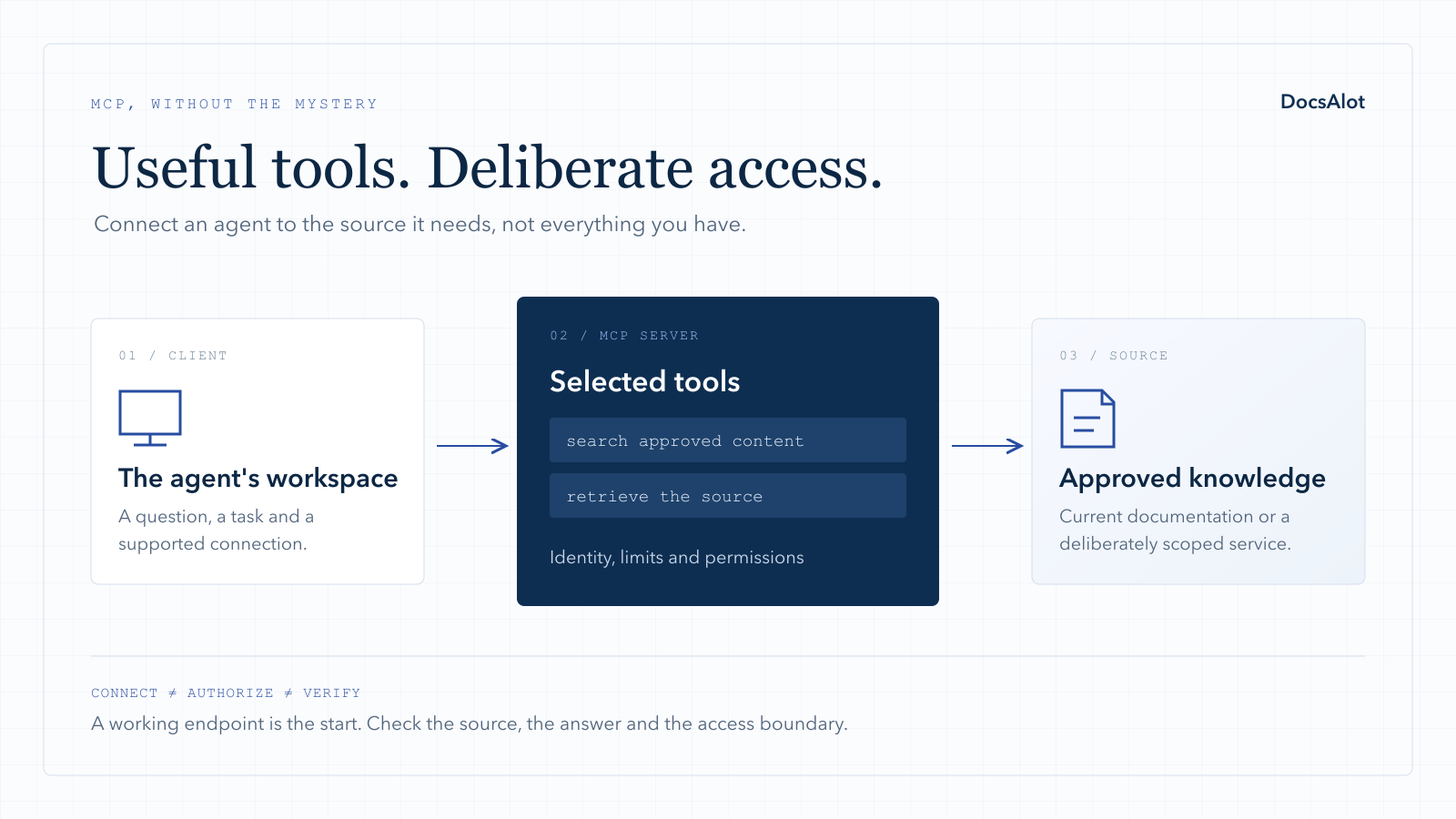
Not sure whether you need another service at all? MCP vs API explains how a tool surface can sit above the API you already maintain.
Local MCP: useful when the work is local
A local server can be appropriate for a single user's files or development tools. The client typically starts a process and communicates with it through standard input and output. The MCP transport documentation distinguishes that binding from Streamable HTTP used for remote endpoints.
The benefit is proximity to the work: a local tool can operate in a deliberately chosen environment. The cost is distribution and maintenance across machines. A colleague having it configured does not mean your whole support team has a supported, working connection.
Use a local server when the workflow genuinely needs it. Do not make support teammates install a toolchain simply to retrieve information that could be served from approved product documentation.
Vendor-hosted MCP: connect before you build
If your goal is to use information already inside another product, check that vendor's official server before building a wrapper. For example, Linear documents a centrally hosted server, including a read-only access path. Other products have their own supported tools and account requirements; the server shortlist gives starting points.
Vendor hosting removes the need to operate that server. It does not remove your responsibility to decide what the assistant may access or change. Check account selection, scopes, revocation and whether the tools can perform writes.
This is often the cleanest choice for an existing product workflow. It is not a way to publish your own unrelated knowledge base: connecting a project tool will not automatically supply your product's approved customer guidance.
Check whether the hosting advice is still current
Old setup guides can point to a service that no longer operates. Smithery's October 31, 2026 notice says its proxy and managed identity services closed; the public registry remains. Its former run.tools and server.smithery.ai addresses are not a current hosting option.
When replacing an intermediary, confirm the vendor's official endpoint and authorization flow, reconnect in your actual client, and test the permitted tools again. A directory listing is not the same thing as a provider operating your connection.
Self-hosted remote MCP: control comes with ownership
Operating your own endpoint makes sense when the workflow is sufficiently specific, you need control over its behavior, and your team can maintain it. The server might retrieve documentation, expose a subset of an API or combine a narrowly scoped set of sources.
Before choosing infrastructure, answer five operational questions:
- Who can call it, and which content or actions can each caller reach?
- How does a change in the source become available to a client?
- What happens when the source is unavailable or a request times out?
- Which logs prove what happened without storing secrets or unnecessary personal data?
- Who handles an outage, a dependency update or a revoked credential?
A function, container or managed runtime can host an HTTP service, but a successful deployment does not answer those questions. Validate the chosen client's supported transport and authentication flow with the server version you intend to ship.
For the implementation path, use our remote MCP setup guide. Treat examples as starting points, not an operational guarantee.
Managed documentation MCP: keep the source and endpoint together
If the main job is answering questions from your product documentation, maintaining a separate MCP project can create another release surface. The article changes, but the retrieved copy remains old; or the endpoint works, but an important exception never made it into the source.
DocsAlot is an option when you want a published docs site and hosted agent-facing outputs from the same documentation workflow. The human site remains useful, while a connected client can retrieve the product context through MCP.
The practical test is a content update, not a connectivity screenshot. Publish a small change, run the documented refresh process if one is required, and ask a question that depends on the new text. Confirm the returned source and the access boundary before adding more content.
You can request a first hosted version from public product context. A bespoke transactional API workflow or complex internal authorization requirement should be scoped explicitly rather than assumed to be included in a documentation endpoint.
What does MCP server hosting cost?
There is no meaningful universal monthly price. A lightly used read-only endpoint and a multi-tenant service calling paid upstream APIs have different operating costs. A free runtime tier can cover some small deployments, but that does not make every MCP workflow free.
Estimate the bill with separate lines:
| Cost line | What to estimate | Common source of surprise |
|---|---|---|
| Runtime | Requests, memory/CPU time, warm capacity and background work | A low-latency requirement that prevents scaling fully to zero |
| Retrieval | Search/index storage, refresh jobs and source fetches | Every publication rebuilding more than necessary |
| Upstream APIs | Paid calls made by tools | One user request causing several API calls |
| Models | Any model calls the server itself makes | Assuming the client's model bill covers server-side inference |
| Observability | Logs, retention and monitoring | Recording full payloads by default |
| Maintenance | Updates, incidents, source fixes and permissions | Counting only the infrastructure invoice |
Use actual request counts and provider prices from your intended configuration. Do not assume every tool call is an AI answer, or that every MCP server needs to run a model at all. If a provider bundles hosting with documentation, compare the included limits and responsibilities, not just the headline price.
A launch checklist you can hand to an owner
The following is an acceptance checklist, not a claim that these steps have been performed on a particular vendor.
| Area | A useful acceptance test |
|---|---|
| Connection | Your actual supported client connects and discovers the intended tools |
| Public content | A known question returns the correct published content and source |
| Unknown answer | Missing source information produces uncertainty rather than invention |
| Content update | A changed source is reflected after the documented update process |
| Private content | An unauthorized identity cannot retrieve it through search, page fetch or alternate tools |
| Actions | Write tools are absent or separately authorized for read-only workflows |
| Limits | Slow or excessive calls fail clearly instead of silently hanging |
| Revocation | A revoked identity or connection can no longer retrieve protected content |
| Operations | A named owner can identify a failure from logs and respond |
For protected HTTP services, follow the MCP authorization guidance rather than treating a hard-to-guess URL as authentication. Validate user and tenant boundaries at retrieval time, not only in the dashboard that created the endpoint.
Also review the protocol's security guidance, particularly when the server reaches other APIs or user-supplied locations. A server that can fetch arbitrary URLs or forward credentials creates a different risk from serving a fixed public documentation corpus.
A sensible first rollout for a support team
Start with one public knowledge base and a read-only workflow. Pick five questions from real support patterns, remove customer identifiers and record the expected source for each.
Connect one supported client, check the answers, then publish one source correction and repeat the test. Have a teammate who did not configure the connection follow the documented setup. That exposes onboarding assumptions you may miss yourself.
Only expand into internal sources after the identity and permission model has been tested. Do not combine public and internal material merely because the same team owns both.
For customer-facing chat, MCP is one integration layer rather than the entire product. You still need answer evaluation, appropriate handoffs and feedback. Use the support chatbot testing guide alongside the MCP evaluation.
Decide what you want to own
Choose local when access to a controlled local environment is the point. Choose vendor-hosted when you need a product's existing supported tools. Choose self-hosted remote when you need custom control and can maintain it.
Choose a managed documentation workflow when publishing reliable product knowledge is the job and operating a separate endpoint is not. You can ask DocsAlot to prepare a hosted first version, or request a readiness review of an endpoint you already run.
Neither choice makes AI visibility automatic. Measure connected retrieval separately from unprompted citations and website visits.