The OpenAPI file is usually the easy part of a Redocly migration. The harder part is keeping links from SDK READMEs, support replies, and bookmarks working after the reference moves. Start with one endpoint and one quickstart. If those work on the new site, you have a migration pattern you can repeat.
Same API. New docs home.
One real GitHub endpoint, carried over without changing its method, path, or operation ID.
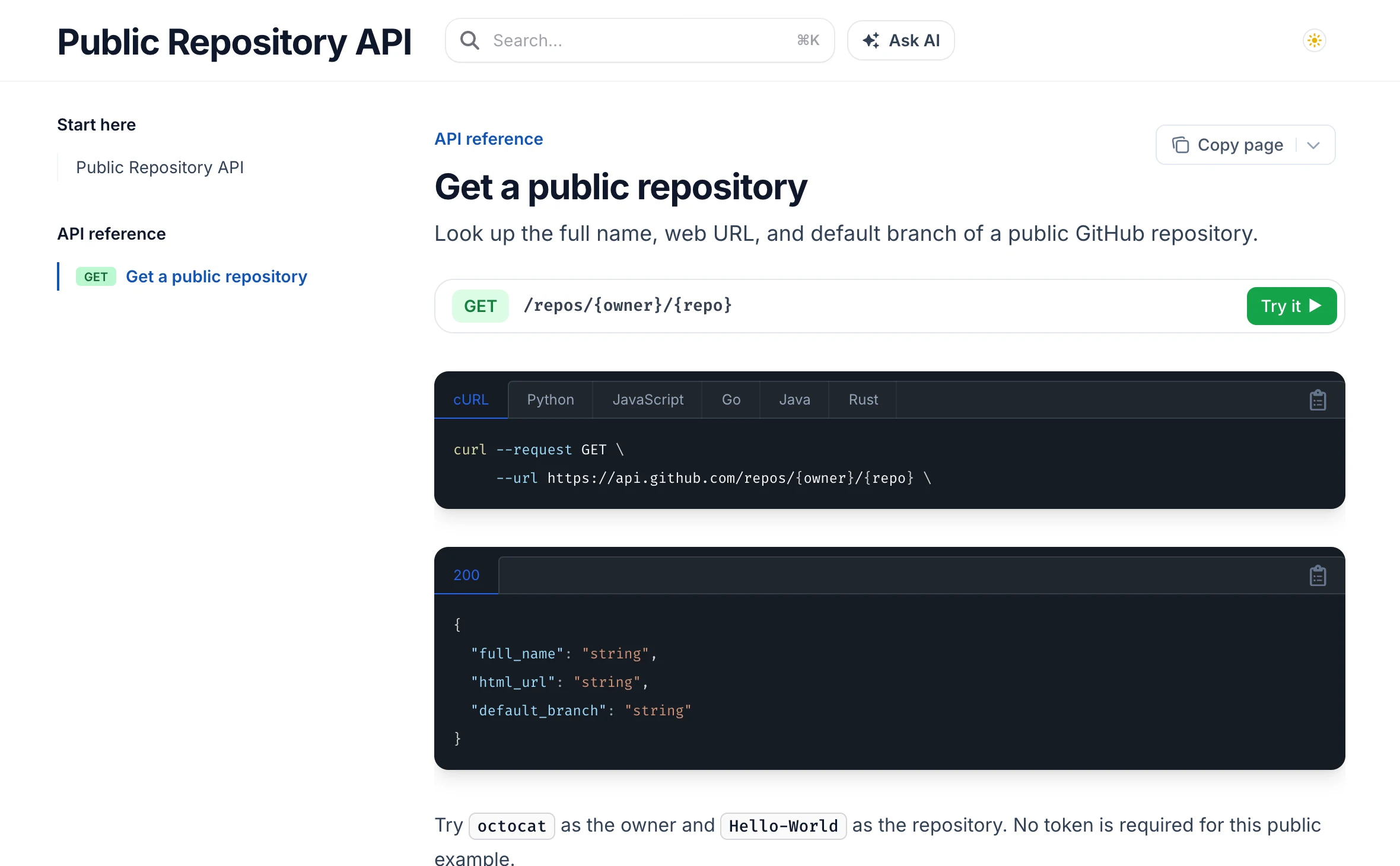
Captured in DocsAlot CLI preview. Select the image to see it at full size.
This guide moves the published docs, not your API. If you use Redoc CE, you may only need to replace the renderer. A hosted Redocly portal can also have navigation, custom components, access rules, and redirects. Keep Redocly CLI in CI if your team relies on it for linting or governance; changing hosts does not require changing your API checks. See the DocsAlot vs. Redocly comparison if you are still deciding what to move.
1. Verify the API before moving the reference
Download the sample OpenAPI file as openapi.json. It's a small, authored subset of GitHub's real public repository endpoint, not a mock server or GitHub's full specification. The example keeps the three fields we need for the walkthrough. The actual API returns more.
1npx --yes @redocly/cli@2.77.0 lint openapi.json2
3curl -fsS https://api.github.com/repos/octocat/Hello-World \4  | jq '{full_name, html_url, default_branch}'
Keep the method, path parameters, operation ID, authentication requirements, and response schemas as they are. For a spec split across files, preserve its relative $ref paths or bundle it with Redocly CLI before testing the new reference. Don't bundle credentials or internal-only operations into a public spec.
2. Move the navigation, not the API contract
Redocly can generate navigation from your files or define it explicitly in sidebars.yaml. In DocsAlot, list the guide and reference page in layout.json and point the reference page at the existing operation.
| Move this | Keep or rebuild it here |
|---|---|
| OpenAPI JSON or YAML | Keep it in the docs repo. The CLI preview discovers the sample spec in the project root. |
| Navigation groups and labels | Recreate their order in layout.json. |
| API operation page | Give it an MDX file with openapi: "GET /repos/{owner}/{repo}". |
| Custom blocks and access rules | Check them one by one. Don't assume Redocly components or permissions transfer. |
Download the sample layout, favicon, quickstart, and endpoint page. Put them next to the spec in this structure:

1redocly-migration/2 favicon.svg3 layout.json4 openapi.json5 index.mdx6 reference/7 get-repository.mdxThe endpoint page keeps the URL under your control while DocsAlot uses the spec for the operation. Follow the OpenAPI setup guide for a full reference or multiple specs.
3. Preview before touching DNS
With the DocsAlot CLI installed, run this from the sample directory:
1docsalot docs preview --dir .Open the quickstart, follow Get a public repository, and confirm the reference shows the right method, parameters, server, and response. In your own project, test a documented error and a representative authenticated call in staging. Public examples should never contain your real API tokens. Keep the old portal live while you review the draft.
4. Verify the old links before switching traffic
Build the URL map from the published site, not just from filenames. Include reference pages, guides, downloads, and heavily linked anchors. This example uses illustrative old URLs; don't assume every Redocly project uses the same paths.
| Existing public URL | New destination | What to test |
|---|---|---|
/quickstart/ | / | In this sample the quickstart is the home page. Keep the old path instead if you can. |
/apis/github/get-repository | /reference/get-repository | Add a permanent redirect if you can't keep the old path. |
/openapi.json | Published spec download | Verify where the new host serves downloads, then update or redirect the old link. |
Fragments like #response never reach the server, so a server redirect can't map them by itself. Keep important anchors or update links where you control them. Test in a browser as well as with HTTP status checks.
Before switching the domain, verify changed URLs redirect directly to the right page, missing pages return a real 404, and private content stays private in a signed-out browser. Check canonicals, the sitemap, and mobile navigation. Save the previous host configuration so you can switch traffic back if reference or access checks fail. Google's site-move guide covers the search checks in more detail.
If one endpoint and one quickstart survive the move, repeat the same checks on the next group. The migration is ready when a developer can still find the right operation, run the example, and share the same working link.