A ticket resolves one person's problem. A knowledge-base article should resolve the next hundred versions of that problem. The two systems should work together, but they should not be mistaken for the same product.
If you are searching for help-desk knowledge-base software, decide which side of that sentence is failing. If tickets are getting lost, you need a better ticketing workflow. If the same question reaches your team every week, you need a better public answer and a process for keeping it current.
What belongs in a ticketing system?
Your help desk owns the private conversation: customer identity, assignment, priority, SLA, internal notes, escalation, and resolution. Zendesk describes ticketing as the hub of its support suite. Help Scout likewise combines an inbox with customer-facing Docs.
A public knowledge base owns the reusable explanation: the task, prerequisites, steps, screenshots, code where relevant, expected result, and a route to a person when the steps do not work. You can house it inside your help-desk suite or publish it through a separate documentation platform. The key is that the article has a stable URL and an owner who will update it after the product changes.
| Question | Ticketing system | Knowledge base |
|---|---|---|
| Who is affected? | A named customer and their account | Every reader with the same task |
| What is stored? | Conversation, priority, status, private context | Reusable instructions, media, examples, links |
| What happens next? | Assign, respond, escalate, close | Publish, link from tickets, review after changes |
| How do you know it works? | Resolution and response quality | Successful self-service, search success, fewer repeat questions |
DocsAlot is the knowledge-base side, not the ticketing side. Keep Zendesk, Help Scout, Intercom, or another support product for the queue if you need one. Use DocsAlot when the published answer also needs to serve product onboarding, technical docs, and readers arriving from search.
A simple ticket-to-article workflow
Imagine a support team answers the same question about a failed webhook three times in one week. This is an illustrative workflow, not a claim about any particular customer:
- Tag the repeat question in the help desk. Keep customer details and private logs in the ticket. Record only the general failure mode for the docs.
- Write one task-focused page. Start with the symptom, likely causes, exact fix, example payload, and a screenshot of the relevant setting if the interface matters.
- Review the page before publishing. A support agent checks the language; an engineer checks technical accuracy. In DocsAlot, contributors can work in the visual editor or Markdown, save a version, and publish deliberately.
- Link the article in future replies. Do not close the support channel. The article handles the common path; the ticket handles the exceptions.
- Watch for drift. If a ticket reveals a new edge case or an old screenshot, update the page rather than copying another one-off answer into the inbox.
The visual editing surface matters at step three. A support teammate should be able to update an image, callout, or FAQ without rebuilding a docs site. Developers still need to edit examples precisely. This image is a local DocsAlot component sandbox, captured October 31, 2026, and is labeled as a demo rather than a customer workspace.
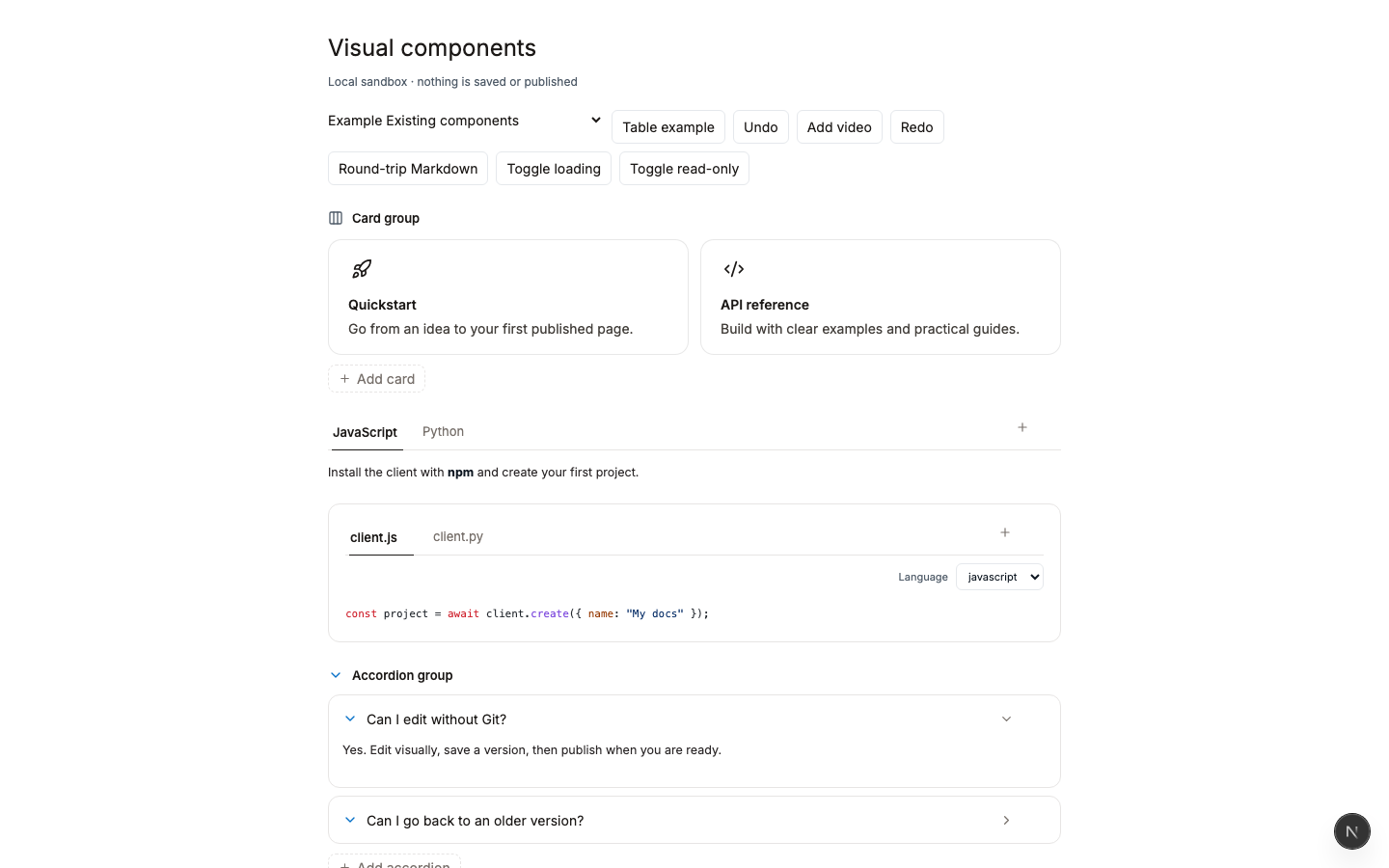
What the published answer should look like
A good help center has a clear search entry, useful categories, and a way to reach support when self-service is not enough. Help Scout's public Docs site shows that pattern in the context of a support platform. Its front page routes readers to setup, account, inbox, and product-specific guides while keeping a contact path visible.
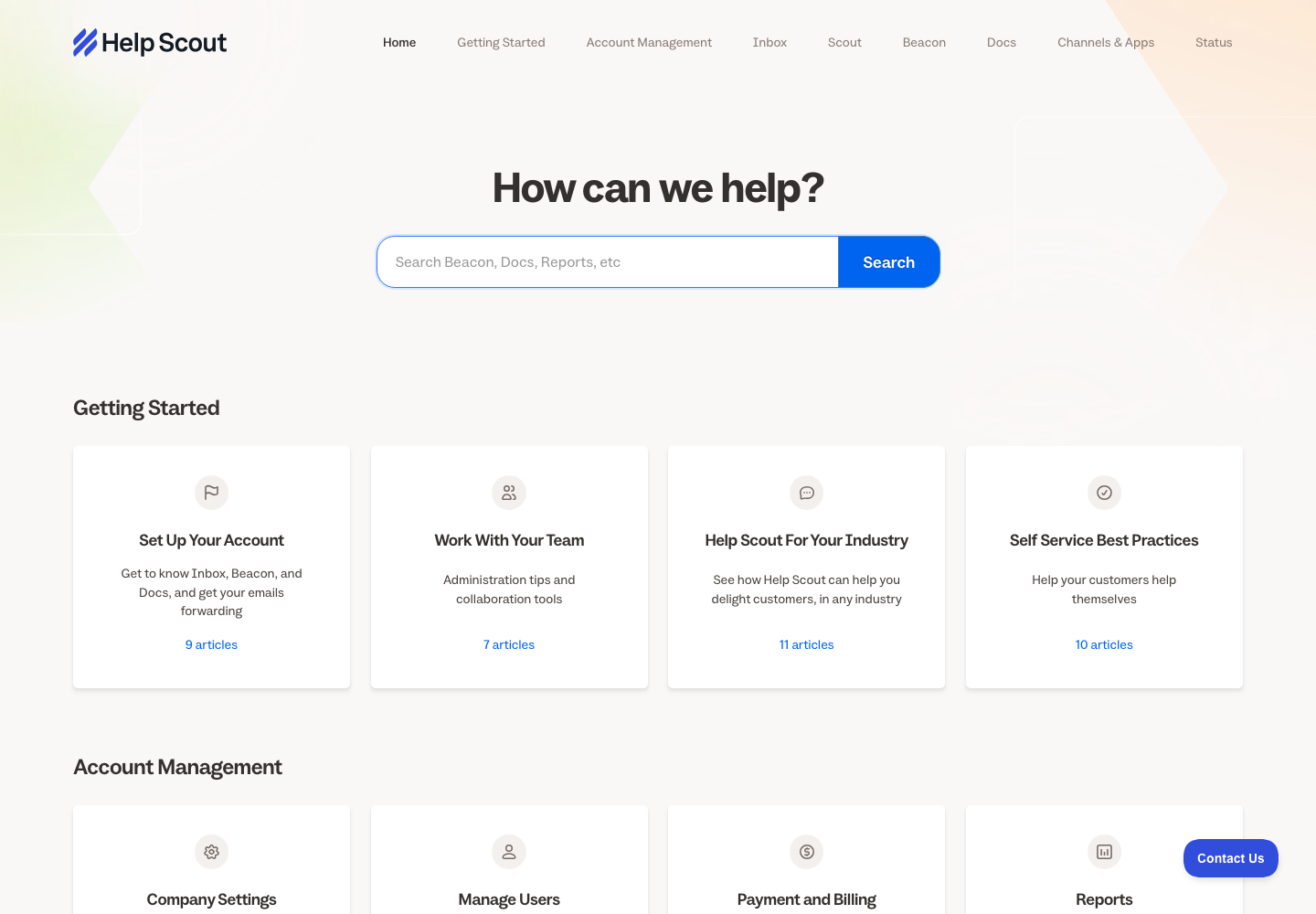
Help Scout's public Docs site, captured October 31, 2026. It is an example of docs attached to a support platform, not a DocsAlot customer site.
For a more technical product, the public answer also needs examples and an integration journey. MasonHub moved its documentation from HelpDocs to DocsAlot. Its live ERP integration playbook shows the published site, where a reader can move from access requests and architecture to testing, webhooks, and production readiness. Its support link remains visible. The docs and the human support route have different jobs.
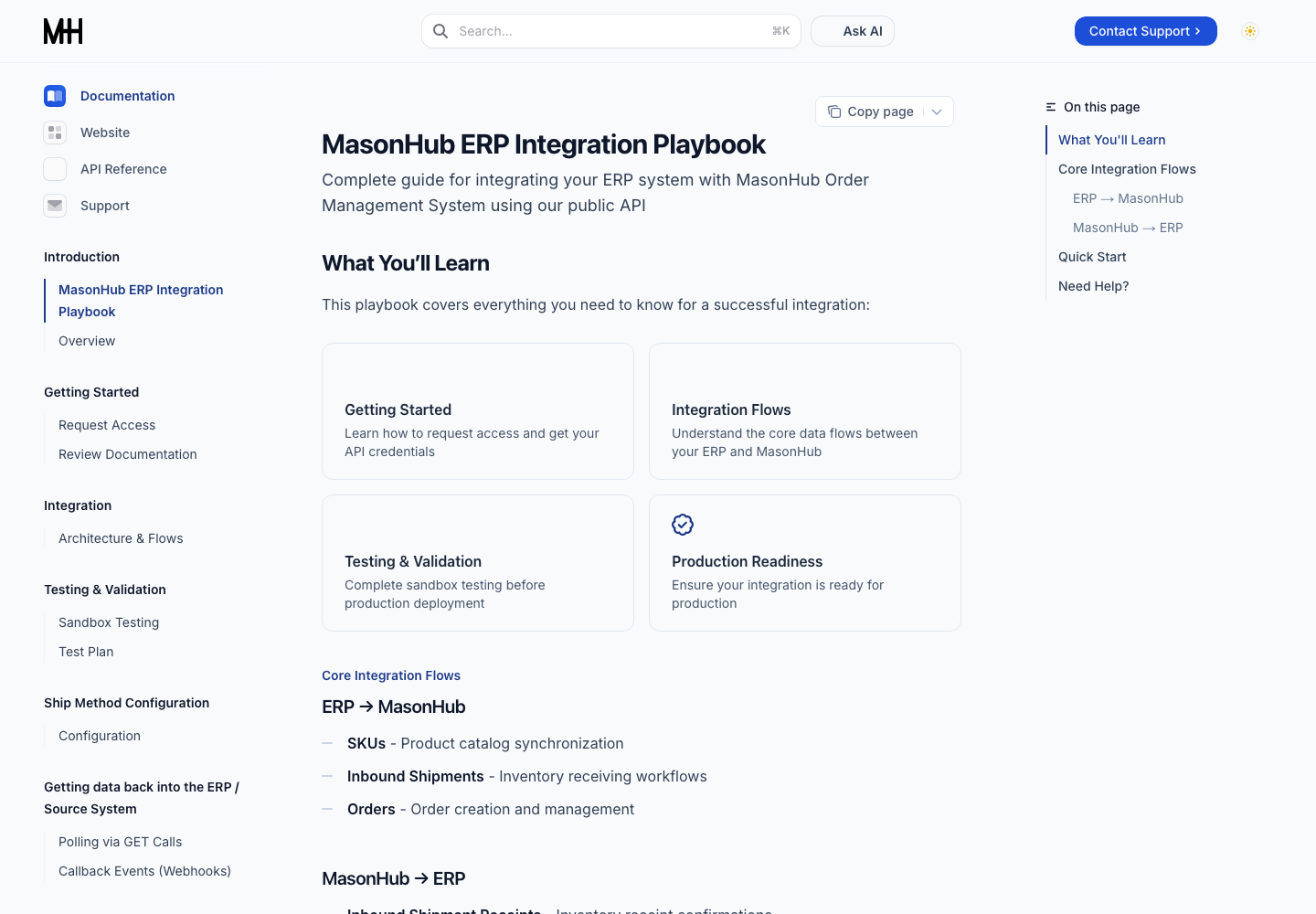
MasonHub public docs after its HelpDocs-to-DocsAlot migration, captured October 31, 2026. The image shows the current experience, not a measured change in support volume.
When an all-in-one help desk is better
Buy an all-in-one system if your highest-priority work is ticket routing, channel management, agent productivity, live chat, or a service-level agreement. A knowledge base alone will not solve that. The Zendesk help-center and ticketing model and Help Scout's Inbox plus Docs are sensible places to evaluate.
Use a docs-first platform when the larger problem is that useful answers are stuck inside tickets while your onboarding and technical documentation lag behind. The same explanation should be available to a customer on the web, an engineer in an API guide, and an agent reading clean documentation. That is the job DocsAlot is designed to do.
If you are choosing among knowledge-base products, see the HelpDocs alternatives shortlist. If the decision is specifically HelpDocs versus DocsAlot, use the direct comparison. For the visual patterns, browse knowledge-base examples, then try editing your own docs.