The right Docusaurus alternative depends on whether you want a different framework or want to stop operating a framework. Those are different decisions. Moving from Docusaurus to another static-site generator can improve your development workflow without removing the responsibility for deployment, upgrades, and publishing.
Start with DocsAlot for managed publishing and agent-readable docs, Astro Starlight for an Astro-based documentation framework, Fumadocs for a composable React application, MkDocs for Markdown and YAML configuration, or GitBook for a managed visual editor with Git Sync.
We publish DocsAlot. This guide is our assessment, not an independent ranking or a controlled performance test of all five products. Product scope is based on the official documentation linked below, checked November 27, 2026. There is no claim that every Docusaurus site should migrate.
Already deciding between two products? Read DocsAlot vs Docusaurus for the direct hosting, editing, pricing, and migration comparison.
Docusaurus Alternatives At A Glance
| Alternative | Evaluate it for | Work your team still owns | Main reason not to choose it |
|---|---|---|---|
| DocsAlot | Managed docs, browser editing, API references, and hosted agent-readable delivery | Content quality, access configuration, and review of migrated components | You need unrestricted React application and theme control |
| Astro Starlight | An Astro-based docs site with navigation, search, and internationalization | Hosting, upgrades, custom integrations, and content maintenance | The real goal is to hand off framework operations |
| Fumadocs | Composable documentation inside a React application | Application configuration, deployments, and operation of chosen services | Non-engineers need a managed publishing system without an application owner |
| MkDocs | Markdown authoring and YAML configuration with static output | Theme/plugin choices, builds, hosting, and custom features | The site depends heavily on React components or MDX interactions |
| GitBook | A visual editor and two-way GitHub or GitLab synchronization | Content organization, sync configuration, and publishing governance | Framework-level control is more important than a shared writing environment |
The order is not a performance score. Compare the job each option takes on before comparing its subscription or hosting bill.
When Staying With Docusaurus Makes Sense
Docusaurus already supports React customization, versioning, internationalization, and documentation authoring. A well-run Docusaurus site is not automatically slow, unattractive, or expensive. Its source ownership and ability to extend the application can be precisely why a team chose it.
Keep it when engineers actively want to own the site, custom React interactions are important, and the deployment and contribution process already works. A new theme or a better review workflow may solve the problem more cheaply than a platform migration.
Consider alternatives when the bottleneck is concrete: support cannot update a page without engineering help, dependency maintenance keeps interrupting product work, or the team wants managed search and agent-facing delivery rather than another integration project. Write down that bottleneck first. A new framework does not automatically fix an unclear content owner.
1. DocsAlot: Managed Publishing Instead Of Framework Operations
Best for: teams that want a branded documentation site without owning its frontend deployment and runtime.
DocsAlot combines hosted documentation, browser editing, API references, AI answers, Markdown delivery, llms.txt, and hosted MCP. The practical difference from Docusaurus is responsibility: your team reviews the content and configuration while DocsAlot operates the publishing platform.
That can help a mixed team where support owns troubleshooting articles, product owns release changes, and engineers contribute API details. Those contributors need an editorial workflow, not necessarily permissions to maintain a React application.
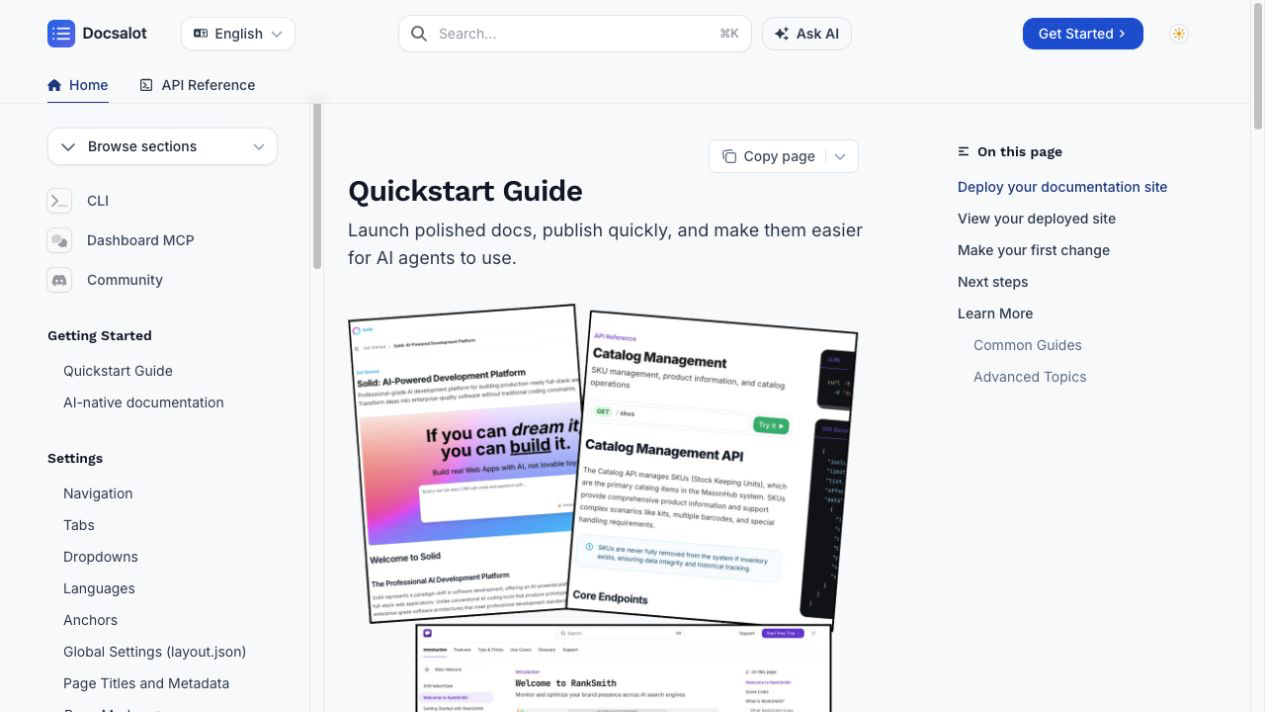
An example of the published DocsAlot experience. Use your own articles to evaluate the design and reader workflow; a screenshot cannot prove migration compatibility.
DocsAlot Startup is $79/month for its public-site scope. Private docs and additional requirements need the appropriate plan; check current capacity and features. That is a managed subscription, not a feature-equivalent price for the Docusaurus software license.
The tradeoff: a hosted platform does not provide unrestricted control over Docusaurus themes, arbitrary React imports, or every custom plugin. Test your most complicated page before committing. An import that preserves the words but loses an important interaction is not a complete replacement.
Read the direct DocsAlot versus Docusaurus comparison when managed publishing is the direction you want.
2. Astro Starlight: A Different Open-Source Framework
Best for: teams that want an Astro-based documentation site and still want to own its implementation.
Starlight provides documentation navigation, search, internationalization, and built-in presentation conventions. It accepts Markdown and MDX and can be extended with components and integrations. It belongs on the shortlist when the desired change is the framework and site architecture, not the ownership model.
Evaluate a representative guide, code-heavy page, and custom component. Check how your existing sidebar, translated content, and versioned URLs would be represented. Keeping content in MDX does not mean every Docusaurus-specific component will work unchanged.
The tradeoff: you still need a deployment owner and a plan for upgrades, integrations, and publishing. Starlight can be a strong framework choice without being a managed editor or an outsourced documentation operation. Do not make a speed decision from framework names alone; inspect the actual site and requirements.
For a framework-to-framework evaluation, read Docusaurus vs Starlight.
3. Fumadocs: Documentation As Part Of A React Application
Best for: a React team building a custom documentation experience alongside its application.
Fumadocs is composable rather than a single hosted publishing product. It offers documentation UI and content tooling, plus search, OpenAPI, AI chat, and Markdown/LLM integrations. It is inaccurate to treat each of those capabilities as something you must invent from scratch.
The evaluation is about integration and ownership. Who will choose the content source, configure search, deploy the application, and maintain the services behind AI features? If those responsibilities already sit with an application team, a composable framework can fit naturally.
The tradeoff: having an integration is not the same as having an operated service. The team still owns the resulting application and its dependencies. If the problem is that support has no reliable path to publish updates, make that path part of the pilot rather than judging only the component library.
See Docusaurus vs Fumadocs for the more focused framework comparison.
4. MkDocs: Markdown And YAML With Static Output
Best for: teams that prefer a Markdown-centered toolchain to a React documentation application.
MkDocs builds static HTML from Markdown and uses YAML configuration. Themes, plugins, and Markdown extensions let a team shape the site without making React the default authoring model.
That is useful when most content is procedural: installation steps, operating instructions, troubleshooting, and code examples. Try the theme and plugins you would actually deploy, not an abstract comparison of the core projects.
The tradeoff: React imports, custom MDX components, and interactive application behavior do not become portable Markdown automatically. A simpler authoring model may require replacing those blocks. Hosting, builds, and the chosen extensions still need owners.
Compare Docusaurus vs MkDocs if the main decision is which open-source toolchain your team wants to maintain.
5. GitBook: A Managed Writing Environment With Git Sync
Best for: teams that want writers and developers contributing through different interfaces.
GitBook Git Sync synchronizes a visual editor with GitHub or GitLab in both directions. That makes it a different kind of Docusaurus alternative: you are buying a managed writing and publishing environment rather than choosing another site generator.
Evaluate a real editing round trip. Make a harmless change in a draft editor, inspect the repository result, then make a repository change and review the editor result. Include a table, an attachment, and any nonstandard blocks. A successful sync connection alone does not establish content parity.
The tradeoff: price the required site plan and paid contributors together, and confirm the access and AI features you need. You also exchange framework-level control for the managed environment. Use the GitBook pricing breakdown rather than comparing a site headline with an entire self-hosted operation.
Compare Total Ownership, Not A Free License With A Subscription
Docusaurus and the open-source framework options do not require a hosted-platform subscription just to use their software. Static hosting may be free for a small site. There is no universal mandatory $100/month infrastructure bill.
For an honest comparison, write down three separate lines:
- Recurring cash: hosting, bandwidth, search, AI services, paid contributors, and the platform subscription where relevant.
- Maintenance time: dependency updates, failed builds, access changes, search indexing, and contributor support.
- Switching work: URL mapping, component replacement, asset handling, access configuration, and final validation.
Use your actual workload in the Docusaurus total-cost breakdown and documentation hosting cost calculator. If you already have spare infrastructure and an experienced site owner, your incremental cost can be low. If nobody owns the site, a free license does not resolve that operational gap.
Run A Five-Page Migration Pilot
Before moving the entire site, choose a core guide, an asset-heavy page, a custom-component page, a locale or version if used, and a private article if used. Replace inapplicable categories with another important public page. Keep private content in an access-controlled draft.
Use the Docusaurus migration pilot and its fictional acceptance worksheet. It explains why docs/install.md and the public URL may differ when routeBasePath, a page slug, locales, or versions are involved.
Check the rendered output, navigation, anchors, assets, search, and permissions. If you need agent-readable docs, verify what a reader can retrieve through Markdown and MCP as well as HTML. Keep the current site live and retain a rollback route until the replacement is approved. No checklist guarantees unchanged search rankings.
Which Alternative Should You Choose?
- Choose DocsAlot when managed publishing and agent-readable delivery remove work your team no longer wants to operate.
- Choose Starlight when an Astro-based docs framework fits your technical direction and you still want to own deployments.
- Choose Fumadocs when a React application team wants composable documentation and control of the stack.
- Choose MkDocs when Markdown and YAML fit the content better than React and MDX components.
- Choose GitBook when a managed writing environment and two-way Git Sync are the main priorities.
- Keep Docusaurus when its extensibility and ownership model already serve the team well.
If managed publishing is the answer, compare DocsAlot with Docusaurus, then test your content in a draft before changing the live site.